
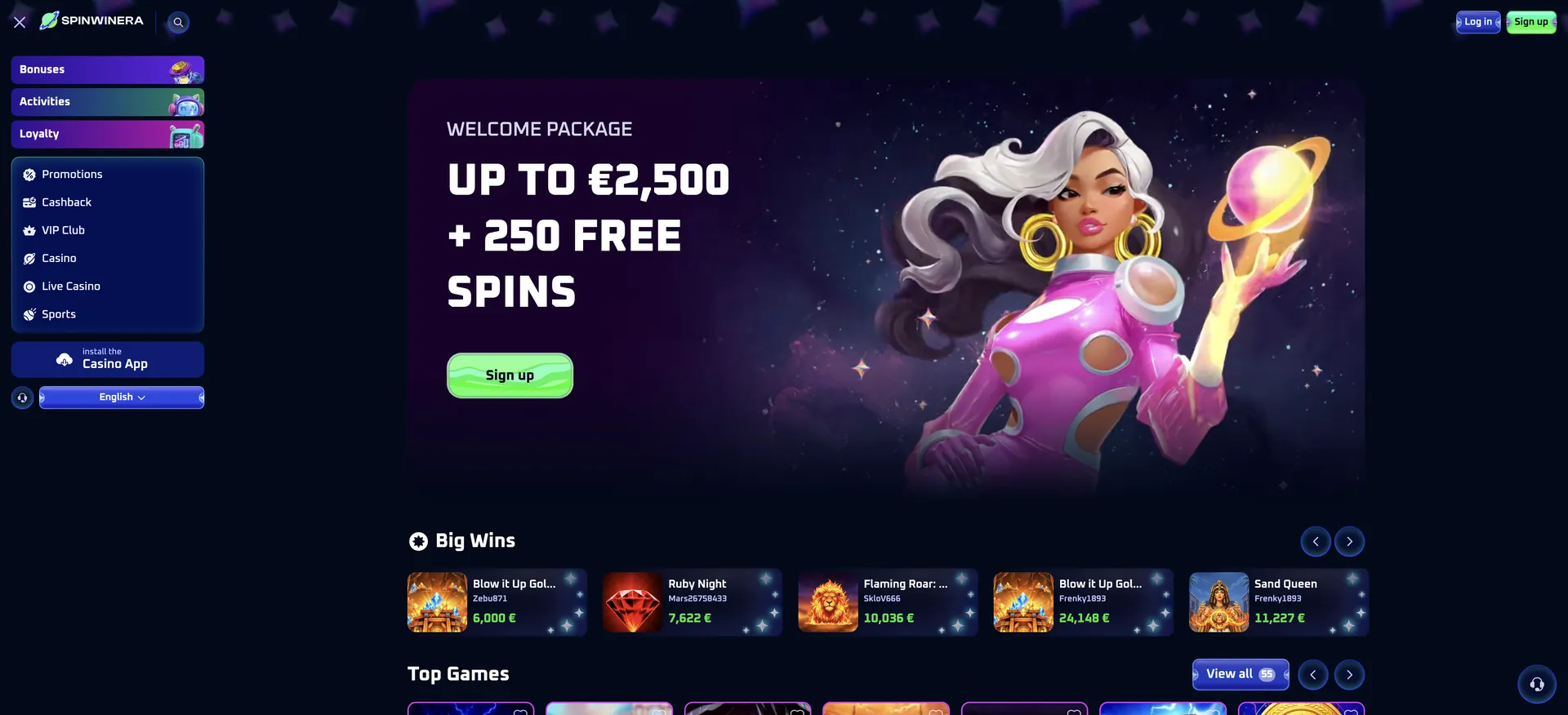
The Spinwinera app is a web app, not a download from the App Store or Google Play. It is installed from the casino site itself using the "Install the Casino App" button in the side menu, or through the browser's "Add to Home Screen" option. Once installed, it opens from an icon on the phone like a regular app and gives the full casino: 6,000+ games, live tables, the sportsbook, the AUD cashier, bonuses and 24/7 live chat. There is nothing to update manually, and the same account works on mobile and desktop.
This guide explains how to install the Spinwinera casino app on iPhone and Android, what it can do, how mobile payments and withdrawals work in AUD, and how to keep the account secure on a phone.
| Feature | Spinwinera mobile details |
|---|---|
| App type | Installable web app (from the browser) |
| App Store / Google Play | Not required - installed directly from the site |
| iOS access | Safari or another modern browser; home screen icon |
| Android access | Chrome or another modern browser; home screen icon |
| Game catalogue | 6,000+ titles - the same as desktop |
| Live casino | 408 live tables, streamed in the browser |
| Sports betting | Pre-match and live, including AFL and NRL |
| AUD cashier | Full deposits and withdrawals |
| Bonuses | Welcome package, reloads, rakeback, tournaments |
| Notifications | Browser push notifications, if allowed |
| Updates | Automatic - no manual updates |
| Security | SSL encryption, same as desktop |
Is there a Spinwinera app for Android or iOS?
Spinwinera offers an app in the form of a web app rather than a native store app. The casino does not point players to the App Store or Google Play; instead, the "Install the Casino App" button sits in the side menu of the site, below the Sports link. Tapping it adds Spinwinera to the device, where it runs in its own window without the browser address bar.
This approach has practical advantages. The app takes up almost no storage, it is always the latest version because it loads from the server, and it works the same on iPhone and Android. Any app that claims to be an official Spinwinera download from a third-party site should be avoided - the only safe installation route is the official casino domain.
How to access Spinwinera on mobile
Players who do not want to install anything can simply use the mobile site. It has the same functions as the web app.
- Open the official Spinwinera site in your phone's browser.
- Tap Log in or Sign up in the top-right corner.
- Open the side menu with the hamburger icon to reach Bonuses, Promotions, Casino, Live Casino and Sports.
- Use the search icon next to the logo to find a game by name.
- Tap the headset icon at the bottom right to open live chat.
How to install the Spinwinera app on your home screen
There are two ways to install: the built-in "Install the Casino App" button on the site, or the browser's own home-screen function. Both create the same icon.
iOS instructions (Safari)
On iPhone and iPad, the home screen shortcut is created through Safari's share menu and opens the casino in a full-screen window.
- Open the Spinwinera site in Safari.
- Open the side menu and tap Install the Casino App, then follow the prompt - or tap the Share icon at the bottom of Safari.
- Scroll down the share sheet and choose Add to Home Screen.
- Keep the name "Spinwinera" or change it, then tap Add.
- Open the casino from the new icon and log in once.
Android instructions (Chrome)
On Android, Chrome usually offers an install prompt directly, so the process takes a few seconds.
- Open the Spinwinera site in Chrome.
- Open the side menu and tap Install the Casino App.
- Confirm Install in the Chrome pop-up. If it does not appear, tap the three-dot menu and choose Add to Home screen or Install app.
- Find the Spinwinera icon on the home screen or in the app drawer.
- Open it and sign in with email and password or Google.
Features available in the Spinwinera app
The web app is the full casino, not a cut-down version. Everything available on desktop works on a phone:
- Pokies: all lobby rows, including Bonus Buy (1,040), Jackpots (44), Exclusive (57) and Books (74).
- Live casino: Evolution, Pragmatic Play Live and Imagine Live tables such as Lightning Roulette and VIP Blackjack 5.
- Sportsbook: pre-match and in-play betting, Bet Builder, Cash Out and Early Payout.
- Bonuses: welcome package, free spin activation, reload codes, rakeback claims and tournament leaderboards.
- Cashier: AUD deposits and withdrawals, transaction history and withdrawal limits.
- Account tools: profile, document upload for verification, deposit limits and self-exclusion.
- Support: 24/7 live chat from the headset icon.
Spinwinera app performance on mobile
Because the web app loads from the same platform as the desktop site, speed depends mainly on the phone and the connection rather than on a separate app build.
- Lobby: rows load progressively, so the first games appear before the full list finishes loading.
- Pokies: games run in HTML5 without plugins, in both portrait and landscape depending on the title.
- Live casino: video streams adjust to the connection; a stable 4G or Wi-Fi connection keeps them smooth.
- Storage: the app takes almost no space, since games are streamed rather than stored on the device.
- Battery: live streams use more battery than pokies; lowering screen brightness helps on long sessions.
Mobile payments and withdrawals in AUD
The cashier in the app is identical to the desktop version. The rules below apply to every device.
| Action | Rule |
|---|---|
| Welcome bonus deposit | From about AUD 25 per step; sports package from AUD 30 |
| Payment methods | Visa, Mastercard, BTC, ETH, XRP, LTC, BCH, bank transfer |
| Minimum withdrawal | About AUD 85-205, depending on method |
| Processing time | Up to 72 hours, then the provider's transfer time |
| Before withdrawing | Deposit turned over 3 times; verification complete |
| Withdrawal method | Same method as the deposit |
Crypto deposits on mobile are easiest by copying the wallet address from the cashier or scanning it with a wallet app. Always double-check the network: coins sent to the wrong network, such as BTC to a BCH address, are only recovered in exceptional cases.
Security of the Spinwinera mobile app
The web app uses the same SSL encryption as the desktop site, and card details are handled by the payment provider's secure gateway rather than stored in the app. For extra safety on a phone, use the device's screen lock and a password manager, avoid saving the casino password on shared devices, and install the app only from the official domain. If the phone is lost, change the casino password from another device and tell support.
Usage tips for Australian players
A few practical tips make the Spinwinera app more convenient in Australia:
- Allow push notifications to hear about new reloads and tournaments - they can be switched off at any time in browser settings.
- Keep in mind that bonuses are credited on CEST time, which is 8-10 hours behind the east coast.
- Turn off any VPN before opening the app; a masked location can block access and put winnings at risk.
- Upload verification documents from the phone camera right after registration to speed up the first withdrawal.
- Set deposit limits in the Responsible Gaming section - they apply on every device.
FAQ about the Spinwinera app
Answers to the most common questions about playing Spinwinera on a phone.
Is the Spinwinera app on the App Store or Google Play?
No. The app is a web app installed directly from the casino site through the "Install the Casino App" button or the browser's home screen option.
Is the Spinwinera app free?
Yes. Installing the web app costs nothing and uses almost no storage.
Can I claim the welcome bonus in the app?
Yes. The welcome package of up to about AUD 4,250 + 250 free spins, reloads and rakeback all work the same in the app.
Do I need a separate account for the app?
No. The same login works on the website and in the app, with the same balance and history.
Does the app need updates?
No. It loads from the server, so it is always the current version.
Can I withdraw through the app?
Yes. The full AUD cashier is available, with the same limits, processing times and verification rules as on desktop.
Updated on 21 November 2026.